
Flags from the terminal
Flags are boolean. A flag starts off everywhere and becomes true for a device through a rule in an environment. The CLI covers the common moves; the dashboard covers the rest (targeting by audience, more than one rule, history).
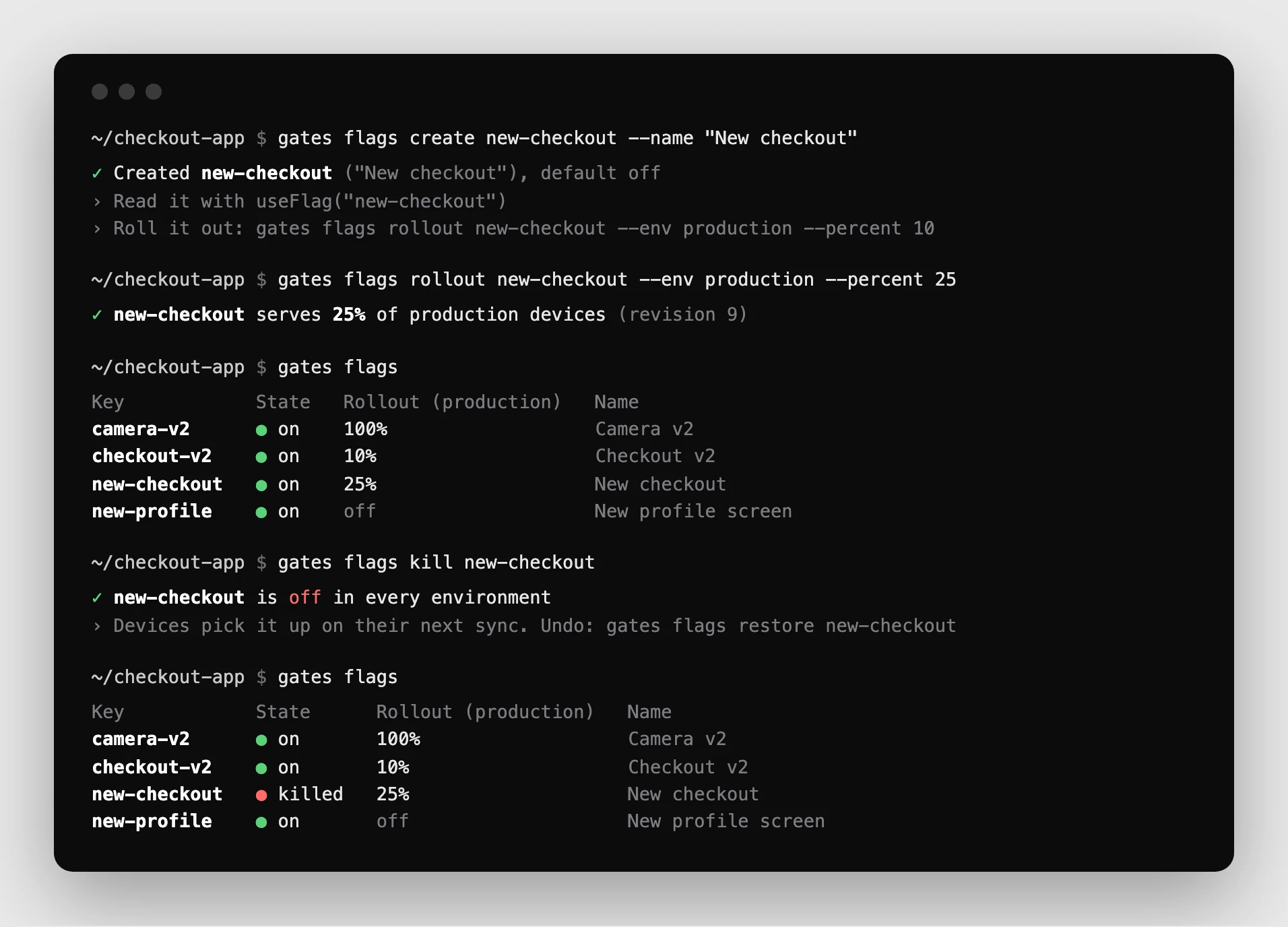
flags
Every flag in the linked project with its state and the chosen environment’s rollout. State is ● on or ● killed. Rollout is a percentage when the environment has one percentage rule, N rules when the dashboard has set up something richer, and off when there is none.
flags create
A new flag with that key. Keys are lowercase letters, digits, dashes and underscores. Without --name the key becomes the name (new-checkout → New checkout). --on sets the flag’s default value to true, so devices that match no rule get true; without it the default is false. A duplicate key exits 1 with the API’s message.
The new flag has no rules in any environment. Read it in code right away with useFlag("new-checkout"); it returns the default until you roll it out.
flags rollout
One percentage rule in that environment serving true to that share of devices. It replaces whatever rules the environment had, so the CLI’s view of an environment is always one number.
The share is deterministic per device: each installation hashes into a bucket with a seed minted once for the rule and never rotated. Widening from 10 to 50 keeps the rule, so the same devices stay in and new ones join. Narrowing removes devices in the reverse order, so the first 10% are the last to leave. --percent is a whole number from 0 to 100; 0 keeps the rule but admits nobody. See Rollouts.
Every rollout bumps the environment’s revision, which the output prints. Devices pick it up on their next sync.
flags kill and restore
The kill switch. kill disables the flag: on the next sync every device in every environment evaluates it as false, whatever its rules say. The rules are kept. restore enables it again and the rules apply as before.
Neither deletes anything, and there is no delete in the CLI or the MCP server; retire a flag from the dashboard once its code is gone. See Kill switches.
Environments
development, preview and production. flags and flags rollout take --env; flags defaults to production, rollout requires it. kill and restore have no environment because they act on the flag as a whole.