Evaluated on the device
The SDK reads the last snapshot it saved. useFlag is synchronous, never fetches and never throws. Airplane mode changes nothing.
readAsyncStorage → snapshotsyncstartup · foreground · identifywaitnever
Ship every feature dark, release it to the right people at the right pace, and pull it back in one click. Gates runs flags, rollouts, audiences and kill switches from a snapshot the phone already has, so your app renders first and syncs later.
npx expo install @gates/expo
import { GatesProvider, useFlag, Switch } from "@gates/expo";
export default function Root() {
const { user } = useAuth();
return (
<GatesProvider
projectKey="ek_…"
environment="production"
user={user && { id: user.id }}
>
<App />
</GatesProvider>
);
}
function Checkout() {
const oneTap = useFlag("checkout-v2"); // local read, never fetches
return (
<Switch name="payments" fallback={<PaymentsDown />}>
{oneTap ? <OneTapCheckout /> : <ClassicCheckout />}
</Switch>
);
}
gates.explain("checkout-v2")
// { value: true, reason: "rollout_match", bucket: 1873,
// revision: 42, source: "cache" }Store builds, OTA updates and runtime versions are first-class in Gates, not custom attributes you wire up yourself. Managing a feature means managing every build it is in.
The SDK reads the last snapshot it saved. useFlag is synchronous, never fetches and never throws. Airplane mode changes nothing.
Rules match on the context expo-application and expo-updatesexpose. No native module to add, and appVersion compares as a real version, never as a string.
A rollout seed is minted once per rule and never rotated. Someone in at 25% is still in at 50%, on every one of their devices.
The environment key you ship reads configuration and reports exposure. It cannot create, edit or delete a flag, change a rollout or see anything else in the project.
Four steps between the dashboard and the device, and the phone never blocks on any of them.
Name it, pick an environment, keep it off. The SDK treats an unknown flag as off, so shipping the code first is safe.
Add a rule: platform, version, update, an audience from People, or a percentage. Every change bumps the environment revision.
Phones fetch the new snapshot on their next sync and store it. From then on every read is local and deterministic.
Disable the flag. The next sync turns it off on every build and update that ships it; nothing waits on a release.
A flag can be in a store build from March and an OTA update from this morning at the same time. Gates records which versions have evaluated each flag, so the kill switch shows what it reaches before you press it.
<Switch> fails open, so a feature that already shipped stays up until you say otherwise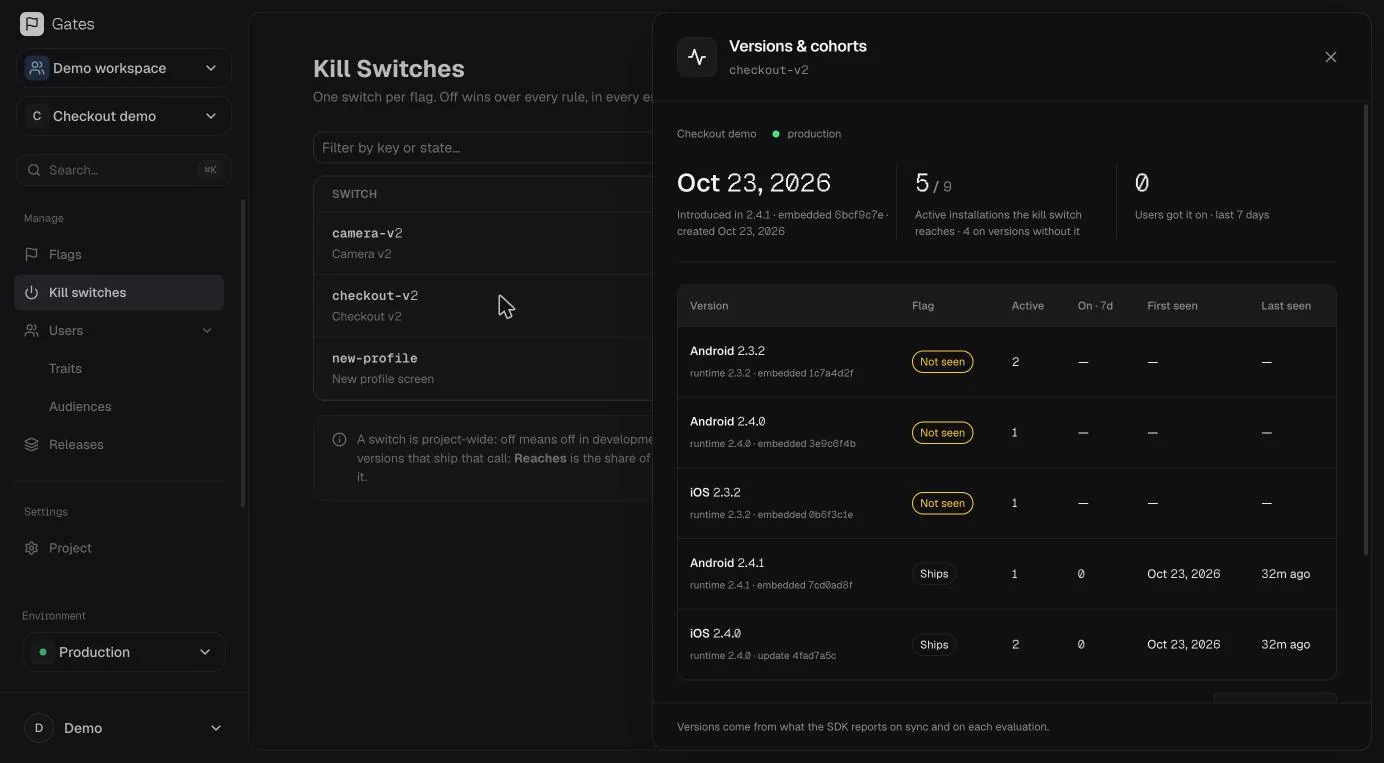
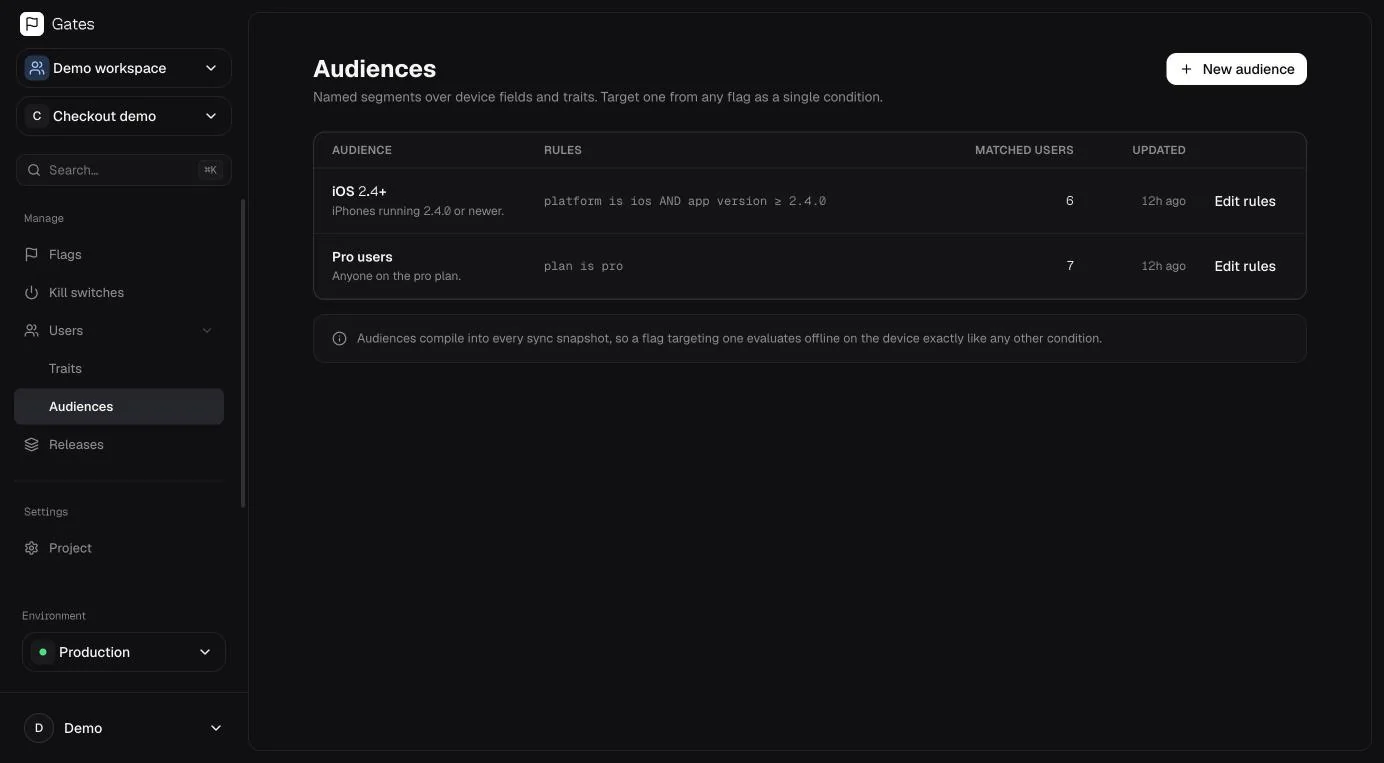
Pass a user to the provider and Gates keeps a profile: traits you send, the devices they use, the versions they are on. Group them into audiences and point a rule at the audience.
Identity is user.id when someone is signed in and the installation id when nobody is, so a rollout follows a person across their phones.
Every workspace gets 14 days of Pro, no card, then stays free for one project. Paid plans meter one thing: devices that synced this month. Pricing details
One app on the side. No card, no clock.
Free for as long as you like.
A team shipping one or a few Expo apps.
Billed yearly, or $49 month to month.
A large install base, and the teams around it.
Billed yearly, or $199 month to month.
No. The provider renders its children immediately. Until the local snapshot has been read, every flag returns the fallback you gave it; after that, reads come from storage. The network is only used to fetch a newer snapshot in the background.
Flags keep evaluating from the last snapshot the device saved. A failed or malformed sync sets lastError and keeps the previous snapshot; it never replaces good state with bad.
Yes. The environment key can read configuration and send heartbeats and exposure events. It cannot create, edit or delete flags, change rollouts or read anything else. Changing configuration requires dashboard sign-in.
No. Flags are boolean, so an <Experiment> has exactly two arms and the rollout percentage sets the split. Gates records exposure and adoption so you can see what a flag reached, and leaves significance to your analytics tool.
Gates Cloud is free for one project and five flags, then $39 or $199 a month billed yearly ($49 / $199 monthly), priced on active installations: devices that synced at least once in the month. Seats are always unlimited. Every workspace starts with 14 days of Pro, no card needed. Self-hosting is free and unlimited.
Expo apps on iOS and Android, through the @gates/expo package. There is no native, Flutter or server SDK today; the core client has no React or Expo imports, so it also runs in Jest and vitest.
Install the SDK, wrap your app, ship the code dark. Release it when you are ready, to whoever you choose.